Apple Dictation hasn’t kept up. Cloud AI tools want your audio and a monthly subscription. Here are the best dictation apps for Mac in 2026, tested for accuracy, privacy, and real price.
TL;DR
- Best overall: TypeVox, $39 once, 100% on-device, 400 words/day free
- Best free built-in: Apple Dictation, solid for casual use, no setup needed
- Best AI cloud: Wispr Flow, polished output, $8/mo, your audio leaves your Mac
- Best for audio files: MacWhisper, one-time price, transcription only, not live typing
- Best for meetings: Otter, generous free tier, cloud-based
We tested eight apps on a M2 MacBook Pro across writing, coding, email, and meetings. The ranking below favors apps that respect your privacy, work offline, and don’t lock you into a subscription.
How We Tested
Every dictation app gets tested on the same five axes:
- Accuracy: word error rate on a fixed 500-word script that mixes plain English, technical jargon, code names (React, useState, Kubernetes, PostgreSQL), and proper nouns
- Latency: time between releasing the dictation key and seeing the text appear
- Privacy model: on-device, cloud, or hybrid, and what happens to your audio after processing
- Real price: not the marketing price, the actual cost over 12 months
- System integration: does it work in Notes, Mail, Slack, VS Code, Terminal, and the browser
Tests run on a M2 MacBook Pro (16 GB RAM, macOS Tahoe), with a Shure MV7 USB microphone in a quiet room. Where applicable, we use the latest stable version of each app as of April 2026.
Comparison Table
| App | Price | Free tier | On-device | Latency | Best for |
|---|---|---|---|---|---|
| TypeVox | $39 once | 400 words/day | Yes (100%) | <500 ms | Daily dictation, privacy, devs |
| Apple Dictation | Free | Unlimited | Partial | ~600 ms | Casual use, quick replies |
| Wispr Flow | $8/mo | 2 000 words/week | No (cloud) | ~1 s | AI-polished writing |
| Superwhisper | $10/mo | Trial | Hybrid | ~800 ms | Whisper power users |
| MacWhisper | €64 once | Limited | Yes | n/a (file) | Audio file transcription |
| Notta | $8.25/mo | 120 min/mo | No | 2-3 s | Meetings + AI summaries |
| Otter | Free / $17/mo | 300 min/mo | No | 2-3 s | Meetings + transcripts |
| Apple Voice Control | Free | Unlimited | Yes | ~700 ms | Accessibility, hands-free |
Below, each app reviewed in order, with the honest pros and cons.
1. TypeVox: Best Overall (★★★★★)
We built TypeVox, so take this with the grain of salt it deserves. We still rank it first because no other Mac dictation app combines on-device processing, a one-time price, and a free tier with no time limit.
How it works. TypeVox runs OpenAI’s Whisper model locally on your Mac through WhisperKit, Apple’s CoreML inference engine. Hold the Right Option key, speak, release. Text appears where your cursor is. Nothing leaves your machine.
What sets it apart.
- 100% on-device. No internet required. No audio uploaded. No telemetry.
- One-time payment. $39 unlocks unlimited dictation forever. The free tier gives you 400 words per day, which covers most casual users without ever paying.
- Works in every app. Notes, Mail, Slack, VS Code, Terminal, iTerm2, Electron apps. TypeVox uses a cascade of text insertion methods (clipboard first, then Accessibility API, then keystroke simulation) so it works where Apple Dictation fails.
- Four dictation modes. Normal, Coding, Prompting, and Clean Prose. Each mode applies different formatting rules. You can set per-app defaults, so VS Code uses Coding mode automatically and Mail uses Normal.
- Custom vocabulary. Define corrections like “next js” → “Next.js” or “type vox” → “TypeVox”. Useful for technical work and product names.
- No account. Download, install, dictate. No login, no email collection, no cloud sync.
What it isn’t. TypeVox is a real-time dictation tool, not a meeting transcriber. If your main need is transcribing existing audio files or auto-joining Zoom calls, look at MacWhisper or Otter instead. TypeVox also has no cloud sync, which is a deliberate trade-off in favor of privacy.
2. Apple Dictation: Best Free Built-In Option
Apple’s built-in Mac dictation is the default everyone tries first. For casual use, it’s fine.
Pros.
- Free, pre-installed, zero setup beyond toggling it on
- Works in most native macOS apps (Pages, Notes, Mail, TextEdit, Safari)
- Multi-language support with on-the-fly switching
- Auto-punctuation when enabled
- On Apple Silicon Macs, you can type and dictate at the same time
Cons.
- 30-second silence timeout. Pause to think and dictation stops on its own.
- Cloud dependency on most languages, even on Apple Silicon. No internet means no dictation.
- Poor accuracy on technical terms. “useState” becomes “use state”. “Kubernetes” is unpredictable.
- No custom vocabulary. The model doesn’t learn your jargon.
- Fails in Terminal, iTerm2, VS Code, and several Electron apps.
- No per-app configuration.
Verdict. Apple Dictation is the right answer if you only need to dictate the occasional email or note. The moment you start using it daily, the limits become friction.
3. Wispr Flow: Best AI Cloud Option
Wispr Flow is the hot AI dictation tool of 2024-2026, and it deserves the buzz. It’s the best cloud-based option we tested.
How it works. You hold a key, speak, release, and Wispr Flow sends your audio to its cloud where an LLM transcribes and rewrites the output. The result is cleaner than what you actually said. It removes filler words (“um”, “uh”, “like”), fixes grammar, and adapts the tone to the app you’re typing in (formal in Mail, casual in Slack).
Pros.
- The best automatic cleanup we’ve seen. Output reads like you wrote it carefully.
- App-aware formatting (Slack vs Mail vs Notes)
- 100+ languages
- Fast for a cloud tool (~1 second end-to-end)
Cons.
- Cloud-only. Your audio leaves your Mac on every dictation.
- $8/mo subscription. After two years you’ve paid more than a TypeVox lifetime license, and the meter keeps running.
- Requires an account.
- Vendor lock-in. If Wispr Flow shuts down or changes terms, your workflow goes with them.
- Limited free tier.
Verdict. Wispr Flow is the right pick if you want the smoothest AI-polished writing and don’t mind a cloud subscription. If privacy or one-time pricing matter, look at TypeVox or Superwhisper instead. (We’re working on a dedicated TypeVox vs Wispr Flow comparison, coming soon.)
4. Superwhisper: Local Subscription Option
Superwhisper is a Mac-native dictation tool that runs Whisper locally with optional cloud features. It’s the closest competitor to TypeVox in terms of philosophy.
Pros.
- Local Whisper processing for privacy
- Multiple Whisper model sizes (small, medium, large) for accuracy/speed trade-offs
- Optional cloud LLM rewriting for users who want AI cleanup
- Modern, native macOS interface
- Custom vocabulary support
Cons.
- $10/mo subscription model. No lifetime option at the time of writing.
- Cloud features cost extra credits on top of the base subscription
- Learning curve for the model size and cloud add-on choices
- No per-app dictation modes like TypeVox
Verdict. Superwhisper is solid if you’re already comfortable with subscriptions and want fine-grained control over Whisper models. For most users, TypeVox delivers a similar privacy story for less money over time.
5. MacWhisper: Best for Audio File Transcription
MacWhisper is not a live dictation tool. It’s a transcription app for existing audio files, and it does that one job extremely well.
Pros.
- One-time price (around €64 for the Pro version)
- Runs Whisper locally, fully offline
- Excellent accuracy for podcasts, interviews, meeting recordings
- Beautiful native macOS interface
- Speaker diarization in the Pro version
Cons.
- Not designed for real-time, in-app dictation
- You record or import a file, then transcribe it as a separate step
- No system-wide hotkey dictation across apps
Verdict. Use MacWhisper alongside a real dictation tool, not instead of one. If your job involves transcribing meeting recordings, podcasts, or interviews, MacWhisper is the gold standard. For typing into apps with your voice, you’ll still need TypeVox, Wispr Flow, or Apple Dictation.
6. Notta: Best for Meetings + AI Summaries
Notta sits in the meetings-and-transcription category. It joins your Zoom, Google Meet, or Microsoft Teams calls and transcribes them in real time, then generates summaries and action items.
Pros.
- High accuracy on meeting audio
- Auto-joins calendar events
- AI summaries, action items, and mind maps
- Multi-language support (58+ languages)
- Speaker identification
Cons.
- Cloud-only
- $8.25/mo for the Pro plan
- Free tier limited to 120 minutes per month
- Not a general-purpose dictation tool. You can’t dictate into Notes or Slack with it.
Verdict. If your main pain point is meeting notes, Notta is one of the best options on Mac. For everyday dictation in apps, it’s the wrong tool.
7. Otter: Best Free Meeting Transcriber
Otter is the long-running leader in free meeting transcription, and the free tier is still the most generous in this category.
Pros.
- 300 minutes per month free, no credit card
- Auto-joins Zoom, Google Meet, Microsoft Teams
- Real-time transcripts with speaker labels
- Searchable transcript archive
- Mac and iOS apps with sync
Cons.
- Cloud-based. Your audio is processed and stored on Otter’s servers.
- The free tier’s monthly limit fills up fast for heavy meeting users
- Pro plan at $17/mo is expensive compared to peers
- Not a real-time dictation replacement for typing
Verdict. Otter is the right pick if you want free meeting transcription without committing to a subscription. For dictating emails or code, look elsewhere.
8. Apple Voice Control: Best for Accessibility
Voice Control is Apple’s accessibility feature, separate from standard Dictation. It’s free, on-device, and built into every modern Mac. Most people don’t know it exists.
Pros.
- Free, fully on-device, works offline
- Lets you control your entire Mac by voice (click buttons, scroll, switch apps)
- Voice editing commands (“select previous sentence”, “correct that”)
- Strong accuracy for native English speakers
- The only built-in option that processes everything locally
Cons.
- Steep learning curve. Voice Control has its own command language.
- Not optimized for fast prose dictation. It’s built for hands-free Mac control first, dictation second.
- Custom vocabulary support is limited
- Less polished than dedicated dictation apps for raw typing speed
Verdict. If you need full hands-free control of your Mac, Voice Control is unmatched. For everyday dictation alongside keyboard use, dedicated tools like TypeVox are faster and more flexible. Enable it in System Settings > Accessibility > Voice Control.
How to Choose the Right Dictation App
There’s no universal “best”. Match the tool to your workflow.
For writers and bloggers → TypeVox if you want privacy and one-time pricing. Wispr Flow if you want AI-polished output and don’t mind a subscription.
For developers → TypeVox. The Coding mode handles technical terms, code names, and per-app configuration. Apple Dictation and Wispr Flow both struggle with jargon and Terminal apps.
For privacy-conscious users → TypeVox, Superwhisper, MacWhisper, or Apple Voice Control. All process audio locally. Avoid Wispr Flow, Notta, and Otter if your audio can’t leave your Mac.
For meetings and transcription → Otter for free tier, Notta for AI summaries, MacWhisper for offline file processing.
For accessibility and hands-free Mac control → Apple Voice Control. No dedicated app comes close for full system control.
For one-time payment lovers → TypeVox ($39 unlimited) or MacWhisper (~€64). Both let you own the tool instead of renting it.
For students or casual users → Apple Dictation if you barely dictate. TypeVox free tier (400 words/day) if you want a real tool without paying.
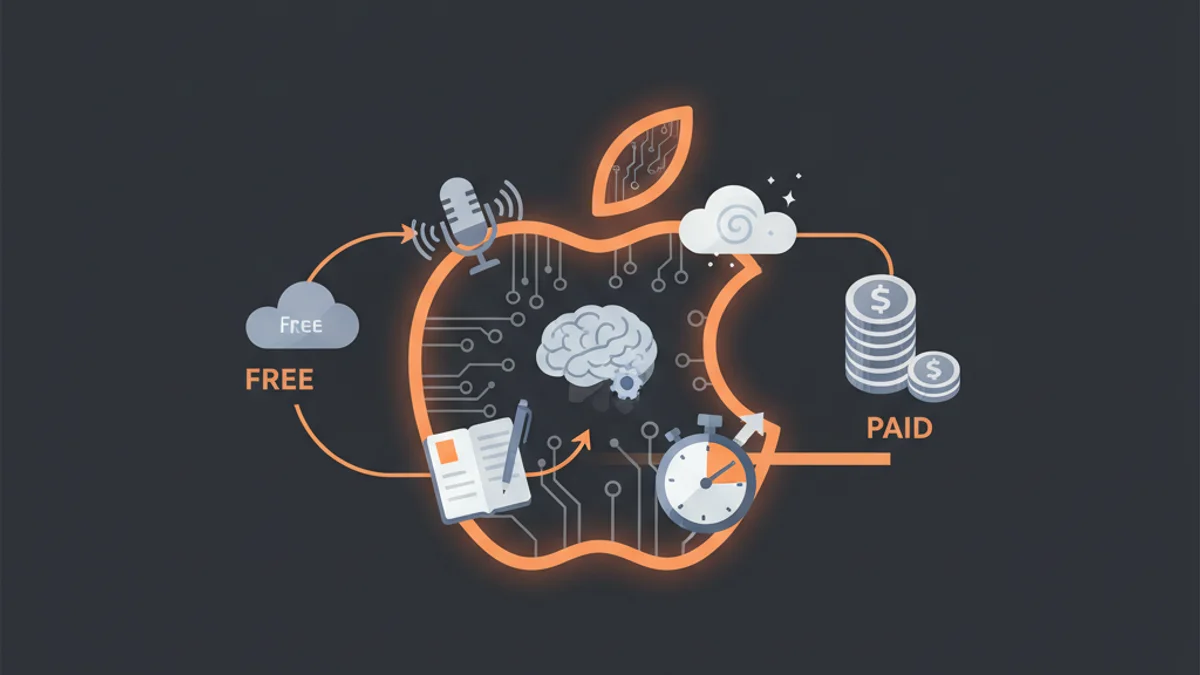
Free vs Paid: Is Free Enough?
For many people, Apple’s built-in dictation is enough. The honest test: count how many times you reach for dictation in a week. If it’s less than five, the built-in tool is fine. If it’s daily, you’ll save hours by upgrading to a tool that actually works in every app and doesn’t time out.
Free options worth knowing:
- Apple Dictation: built-in, basic, cloud-dependent on most languages
- Apple Voice Control: built-in, on-device, accessibility-first
- TypeVox free tier: 400 words/day, on-device, no time limit, no account
- Otter free tier: 300 min/mo of meeting transcription
Paid options worth the money:
- TypeVox Pro: $39 once, unlimited words, no subscription
- Wispr Flow: $8/mo, AI cleanup, cloud-only
- MacWhisper Pro: ~€64 once, audio file transcription with diarization
The honest answer: if you dictate daily, paying once for TypeVox is the cheapest path to a real dictation workflow. If you dictate occasionally, Apple’s free tools cover the basics. Subscriptions only make sense if you specifically need the AI cleanup that Wispr Flow offers.
FAQ
TypeVox is our top pick for daily dictation. It runs Whisper locally on your Mac, works in every app including Terminal and VS Code, costs $39 once with no subscription, and has a 400 words per day free tier. Apple Dictation is the best free built-in option, and Wispr Flow is the best cloud-based AI option if you don't mind a $8/mo subscription.
Yes. macOS includes Apple Dictation, free and pre-installed. Enable it in System Settings > Keyboard > Dictation. The default shortcut is pressing the Globe (Fn) key twice. It works in most native apps but depends on the cloud for most languages and struggles with technical terms.
For technical and developer-focused dictation, TypeVox with Coding mode and custom vocabulary is the most accurate we tested. For plain English prose, Wispr Flow's AI cleanup produces the cleanest final output. For audio file transcription, MacWhisper running large Whisper models is the gold standard. All three use OpenAI's Whisper architecture under the hood.
Yes, several. Apple Dictation is free and built into macOS. Apple Voice Control is free, on-device, and built into Accessibility settings. TypeVox offers a free tier with 400 words per day with no time limit and no account. Otter offers 300 minutes per month free for meeting transcription.
TypeVox is the strongest privacy choice. It runs 100% on-device, requires no account, sends no telemetry, and never uploads your audio. Superwhisper and MacWhisper also process audio locally. Apple Voice Control is on-device too. Avoid Wispr Flow, Notta, and Otter if your audio cannot leave your Mac.
Apple Dictation requires an internet connection for most languages, even on Apple Silicon. For fully offline dictation, use TypeVox, Superwhisper, MacWhisper, or Apple Voice Control. All four process audio locally on your Mac with no internet required.
For occasional use (a few dictations per week), yes. For daily use, no. The 30-second silence timeout, cloud dependency, poor handling of technical terms, and failures in Terminal and Electron apps make it frustrating once you rely on it. Most people who dictate daily switch to a third-party tool within a few weeks.
Final Verdict
Pick what fits your workflow. Apple Dictation if you barely dictate. Wispr Flow if you want cloud AI polish. MacWhisper if your job is transcribing audio files. Otter if you need free meeting notes.
For everyday dictation that respects your privacy, works in every app, and doesn’t lock you into a monthly bill, TypeVox is the one we’d recommend. We built it because we wanted a tool that exists. The 400 words per day free tier is enough to know within an hour whether it fits your workflow.
For more on getting the most out of dictation on Mac, see our complete dictation guide or our deep dive on voice typing on Mac.